Notification settings are yours, not the organisation's. They sit under Personal in Settings, and they belong to your membership: if you work in more than one business in Arbour, each one keeps its own set.
Open notification settings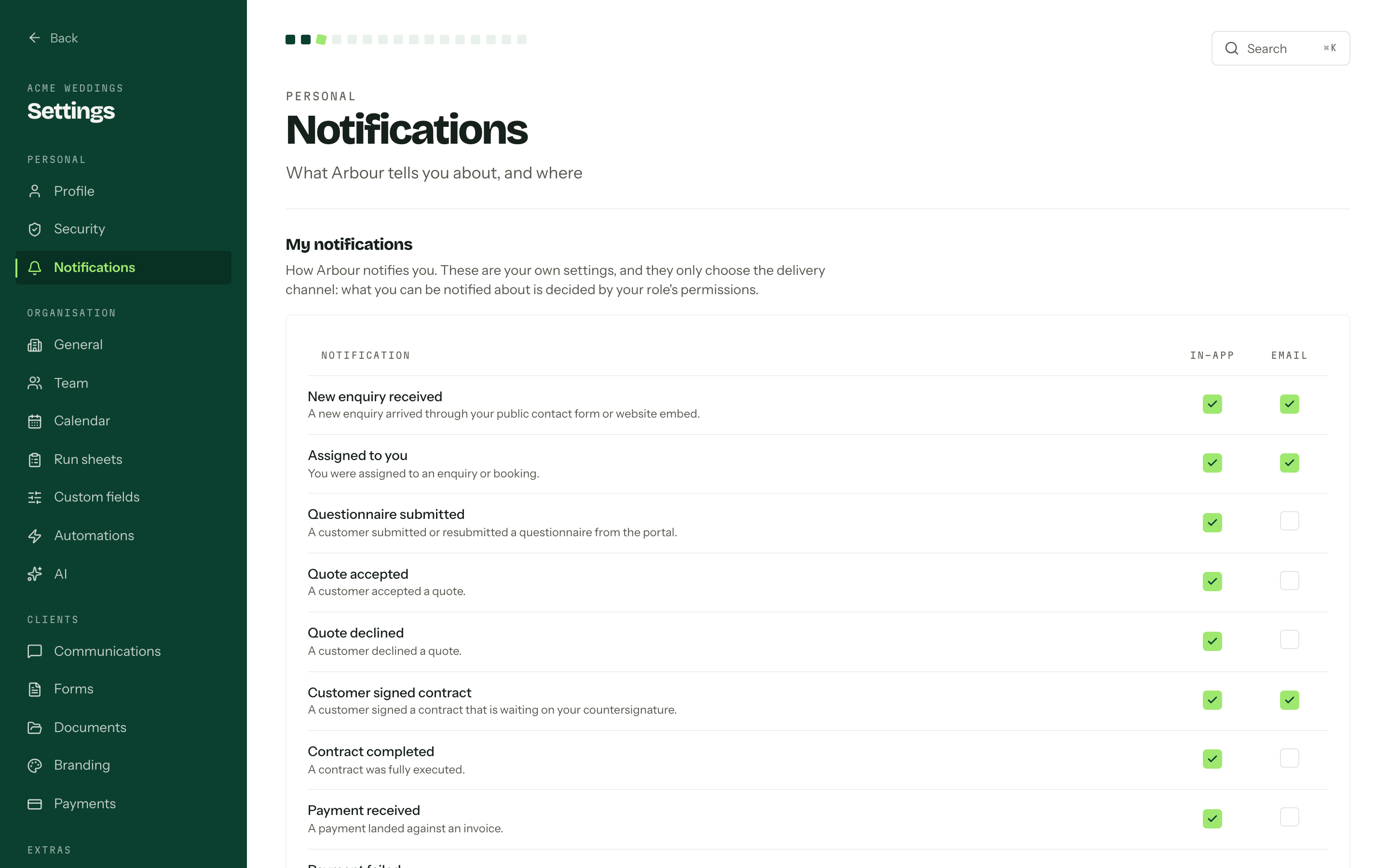
What Arbour tells you about
Each notification type has its own row under My notifications:
- Work arriving: New enquiry received, Assigned to you.
- Appointments: Appointment booked, Appointment requested, Appointment rescheduled, Appointment cancelled, Appointment reminder (the day before), Added to an appointment. The last one also fires when an appointment on your enquiry or booking is left with nobody assigned.
- Your tasks: Task assigned to you, Task ready to start, Daily task summary.
- Clients answering: New client message, Client added a contact, Questionnaire submitted, Quote accepted, Quote declined, Customer signed contract, Customer declined contract, Contract completed.
- Money moving: Payment received, Payment failed.
- Something that needs a hand: Connected mailbox needs attention, Accounting connection needs attention, Invoice accounting sync needs attention, Historical accounting import finished with problems, Group email could not be fully sent, Scheduled email could not be sent, Webhook endpoint disabled, Customer email sender needs attention, Automation step failed.
Each row carries a line of its own explaining what fires it, so the list reads as a catalogue rather than a quiz.
Three types have no row, and arrive in the bell only:
- Automation notification is a message an automation rule was told to send to named members, and the rule already decided who hears about it. See Automations.
- Organisation export ready and Organisation export failed go to whoever asked for the archive on Export.
In-app, email, or both
Two columns, two checkboxes per row. In-app puts it in the bell. Email sends it to your primary address. Tick or untick as many as you like and press Save; nothing is written until you do.
Everything defaults to in-app. Email is on by default for a new enquiry, an assignment, every appointment notification, a task assigned to you, the daily task summary, a new client message, a client adding a contact, a signed contract waiting on your countersignature, a failed payment, and every one of the attention notices above. The rest start in-app only.
These settings choose the channel, not the access
Whether you are eligible for a notification at all is decided by your role's permissions, checked again when a notification is delivered and again when the bell is read. Ticking a box here never grants access to anything. See Permissions reference.
The bell
The bell sits in the top bar. The badge counts unread notifications plus any invitations to other businesses, which are pinned above the list because being asked to join somewhere is exactly the kind of thing the bell is for. Answering one happens on Invitations.
Opening a notification marks it read and takes you to the record it is about. A notification whose record has since gone arrives as plain text with nowhere to go. Mark all as read appears in the header whenever something is unread, Load more walks back through the history, and an empty bell says "Nothing to see yet. You will be notified here when something happens." Notifications are kept for 90 days.
The sound
Play a sound for new notifications is a short chime while Arbour is open in the browser. It is stored in that browser, not on your membership, so the front desk machine and your laptop can disagree without either one overwriting the other. Your browser may stay silent until you have clicked something on the page, which is the browser's rule rather than ours.