A quote template is the shape of a quote you send often, saved once: sections, the lines inside them, and the defaults a new quote starts with. Pick one when you start a quote and the whole thing arrives already built. Templates sit under Sales, behind Quotes, on the Quote templates page: every template listed down the left, the selected one read beside it, and the editor only once you press Edit.
Open quote templatesBuild the offer
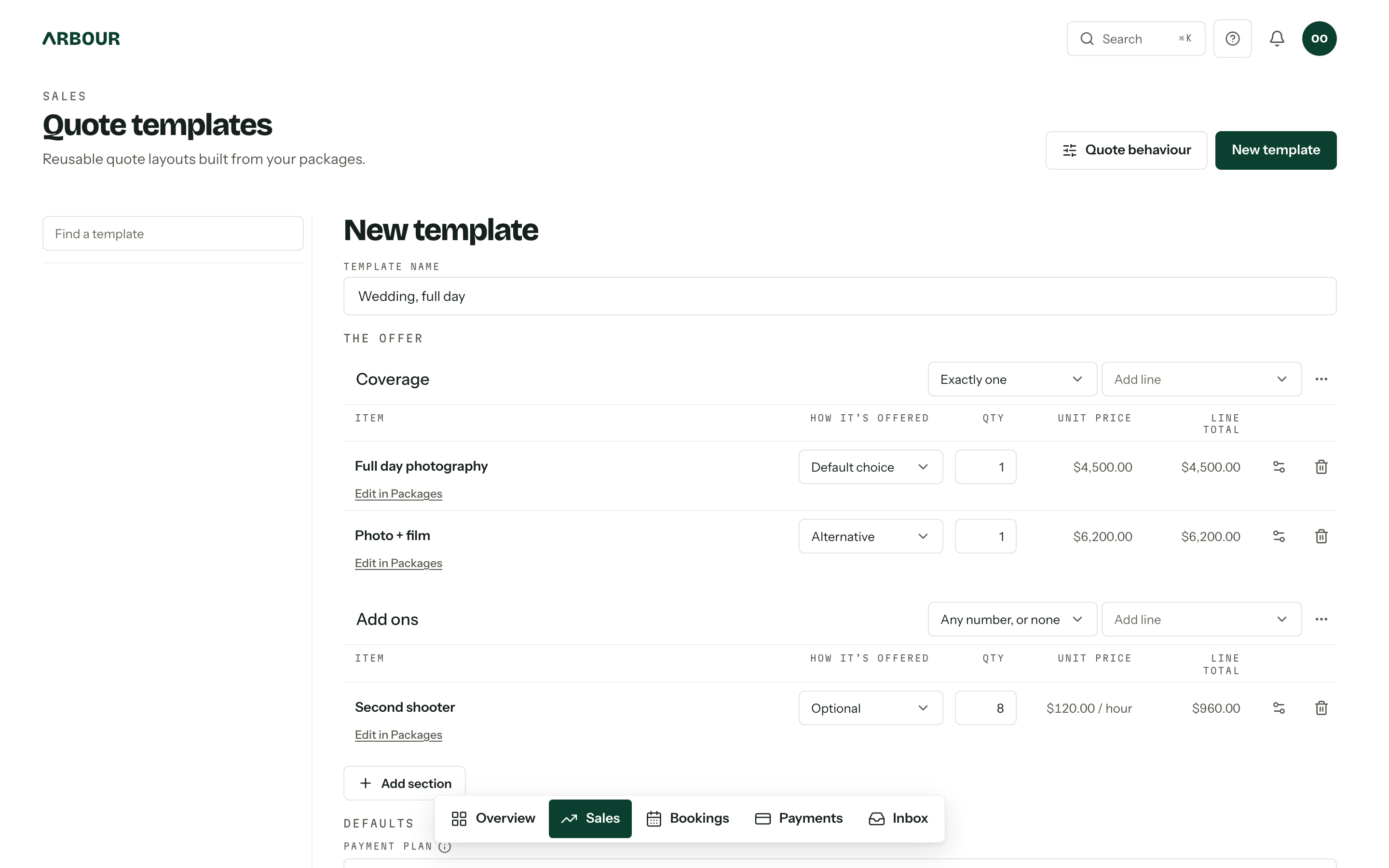
Press New template, fill in Template name, then Add section. A section is a heading with a rule beside it: Any number, or none, At least one, or Exactly one. Each section carries its own Add line control, so a line always lands where you put it. Delete section, in the section's options menu, keeps its lines and moves them to Ungrouped.
- 01
Add line offers a Blank line, or anything you sell under From a package. A package line reads its name, description and price live from Packages, which is why the row links back with Edit in Packages and its price is not editable here.
- 02
A blank line takes a Line name and a Price (AUD) of its own, for the one-off nobody else will ever be quoted.
- 03
Set Qty, the quantity the line starts at. The row's options button holds the line's Section, plus a Min quantity and Max quantity, which is how far a client may move it.
Optional and pre-selected lines
Every line carries one choice under How it's offered.
| Setting | What the client gets |
|---|---|
| Included | On the quote, and they cannot take it off |
| Pre-selected | Ticked when the quote arrives, and they can untick it |
| Optional | Offered unticked, theirs to add |
A section set to Exactly one is an either-or, so Included is not offered inside it and the other two read as Default choice and Alternative. Naming a new default choice takes it off whichever line was holding it. Switch a section to Exactly one after it already has lines and Arbour re-maps them rather than refusing the save, then says how many moved.
All of that describes a flexible quote. A fixed quote is accepted or declined exactly as sent, and has no sections at all. Which one new quotes start as is set under New quotes in document settings, and the Quote behaviour button in the header goes straight there.
Packages with inventory requirements
A line added From a package keeps its package link when the template becomes a quote. With inventory and hire tracking enabled, accepting that quote reserves the package's current requirements, multiplied by the accepted quantity. Only the client's chosen lines count on a flexible quote. A blank line has no package link, even if its name matches a package.
Set those requirements in the package editor's Requires section. The template neither freezes them nor reserves stock. A quote's copied price and description can therefore stay unchanged while the equipment it will reserve changes. See Packages for setup and Sending a quote for availability hints and acceptance.
Defaults
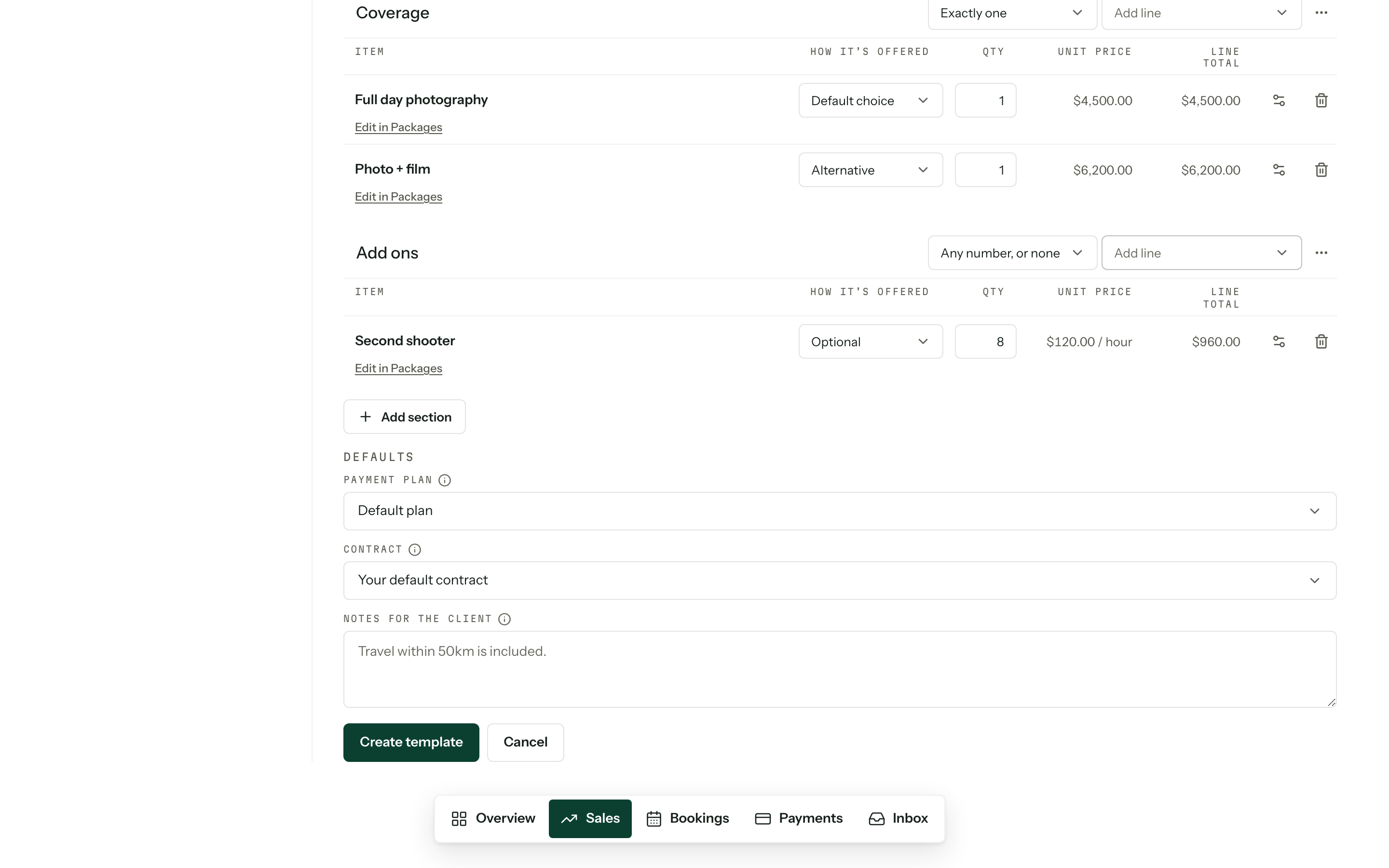
Three defaults ride with the template, and every one of them can still be changed on the quote itself.
- Payment plan, the instalment schedule a quote starts with. Default plan follows whichever plan is your default.
- Contract, the agreement a client signs after accepting. Your default contract leaves the choice to whatever is the default at send. See Contracts.
- Notes for the client, 2000 characters at most, printed on every quote built from the template.
Nothing exists until you press Create template
The draft lives on screen only. Cancel, New template or picking another template asks before it throws unsaved changes away. Save before you leave the page.
Archive rather than delete
Archive takes a template out of the picker on new quotes and folds it into the Archived group in the list, where Unarchive brings it back. Delete is permanent and asks first. Either way, quotes already built from the template keep their copied lines and defaults, so nothing a client has seen changes. Linked inventory requirements still follow the package's current setup when the quote is accepted.
Who can edit
Reading this page needs View quotes. New template, Edit, Archive and Delete need the Edit and send quotes permission, and the Quote behaviour link needs Manage payment settings. See Team and roles.