A payment plan is an ordered list of instalments that between them collect the whole of a document. Plans live in Settings, under Payments, in the Payment plans section, and every organisation holds exactly one marked Default.
Open payment settings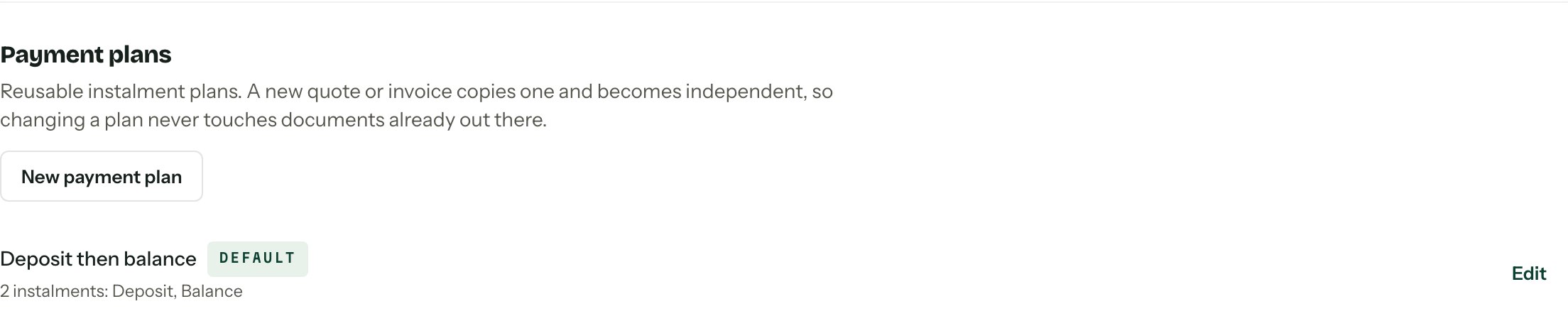
Build a plan
- 01
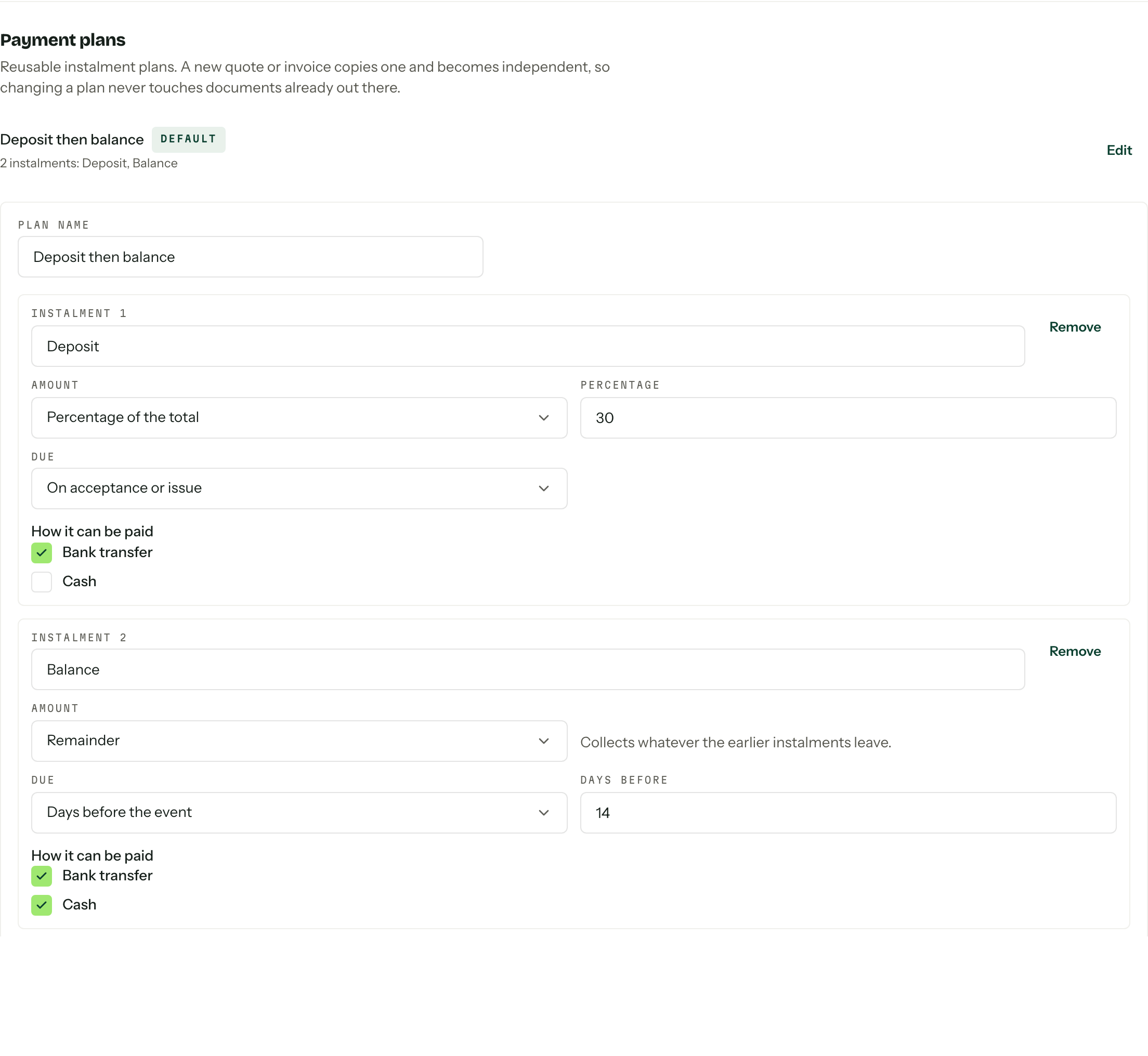
Press New payment plan and give it a Plan name. Something a colleague would recognise a year from now, like Deposit then balance.
- 02
Name Instalment 1, then choose its Amount: Percentage of the total, Fixed amount, or Remainder.
- 03
Choose when it is Due: On acceptance or issue, Days before the event, or Exact date.
- 04
Tick what it can be paid with under How it can be paid. Only the methods switched on further up the page appear here.
- 05
Press Add instalment for the next one, then Create plan when the list is right.
The arithmetic
The instalments have to collect the document total exactly, so a few rules hold.
- A percentage is a whole number from 1 to 100.
- A plan made only of percentages has to add up to 100. Thirty and twenty is refused rather than read as an implied fifty at the end.
- Remainder is offered on the final instalment only, and it takes whatever the earlier ones leave.
- Percentages round to whole cents, and the last instalment absorbs the drift.
Amounts are worked out against the real total when the document goes out, not here, so the same plan suits a $4,500 job and a $12,000 one.
Card has its own range: Stripe charges between $0.50 and $999,999.99. If an instalment can only be paid by card and its worked-out amount falls outside that, the quote or invoice is refused until you tick another method for it or change the amount. Bank transfer and cash take any amount.
When each one falls due
On acceptance or issue dates the instalment the day the quote is accepted or the invoice is issued. Days before the event counts back from the job's event start date: 14 lands two weeks out, 0 lands on the day itself. Exact date pins a calendar date, which is usually a per-document decision rather than a template one.
Days before needs an event date
A job with no event date cannot resolve a days-before-event instalment. Set the date on the job first, or the quote refuses to go out.
Plans are copied, not linked
A new quote or invoice copies a plan and becomes independent of it. Editing a plan, renaming an instalment, or deleting the whole thing never touches a document already out there.
When a client accepts a quote, Arbour issues one invoice from the accepted revision: the same lines, the same GST, and the revision's plan resolved with the acceptance date as the issue date. On a flexible quote the amounts are reallocated to what the client actually chose. See Invoices and Sending a quote.
The default
The default is what a new document reaches for. Make default on any other row moves the badge; the row holding it offers Edit only, because an organisation is never left without one. Delete removes any other plan, and documents that copied it keep their instalments. A brand-new organisation starts with a single-instalment plan called Full payment, carrying no methods until payment settings are saved.
Creating and editing plans needs the manage payment settings permission. Without it the section is a read-only list. See Team and roles.