The same person turns up twice often enough: they enquire from a work address in March and a personal one in June, or a surname gets typed two ways. Arbour flags the obvious case, two contacts with the same email address (capitals ignored), with a Possible duplicate badge on the contact and in the list, and Merge on the contact page folds one record into the other.
Open contacts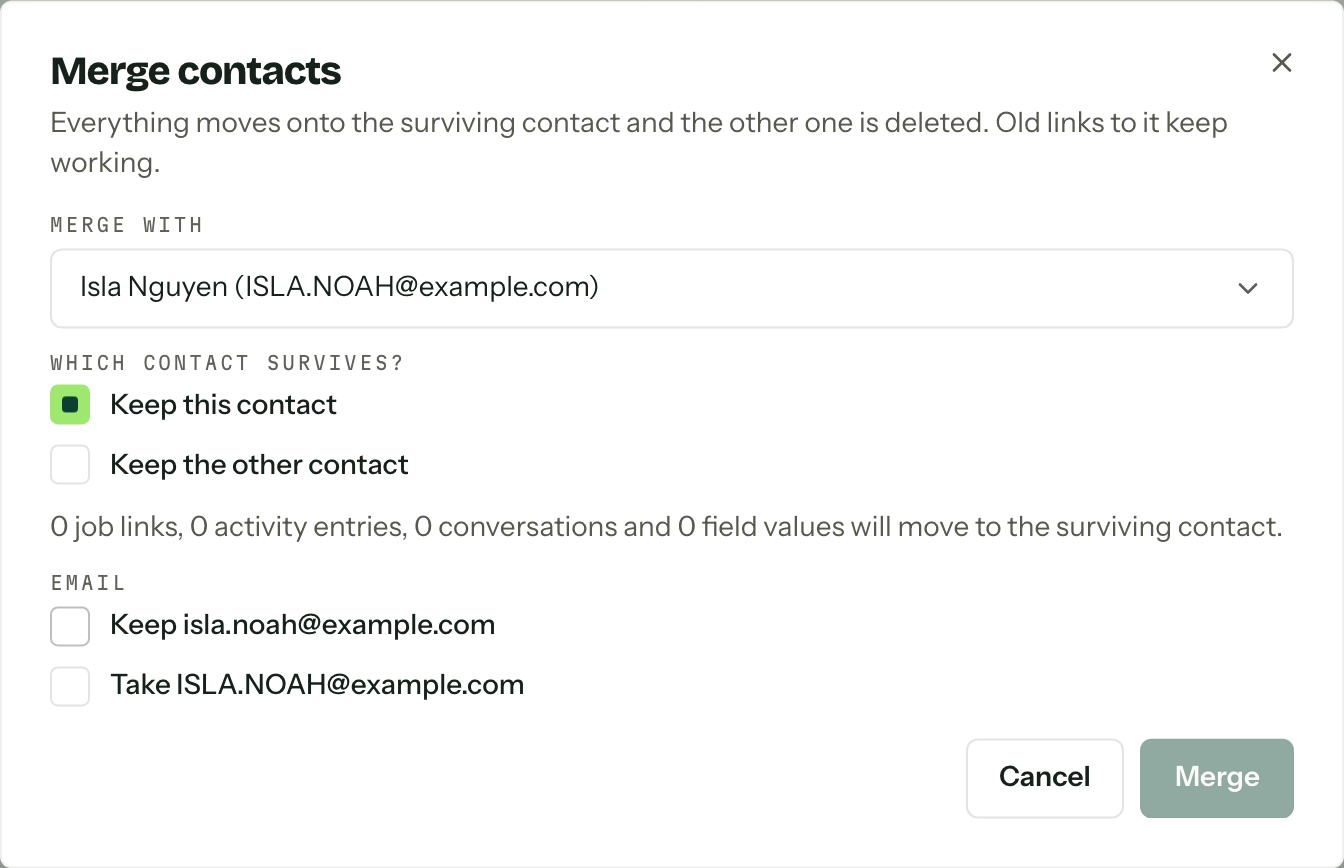
Which record survives
Open the contact you want to keep, then press Merge.
- 01
Pick the other record under Merge with. Anything flagged as a possible duplicate sorts to the top of the list and says so.
- 02
Answer Which contact survives?. Keep this contact is the default, so the record you opened wins and the one you picked is deleted. Keep the other contact flips it and takes you to their page afterwards.
- 03
Press Preview merge (or ⌘ Enter). Arbour counts the job links, activity entries, conversations and field values that will move, and lists anything the two records disagree on.
- 04
For each conflict choose Keep the survivor's value or Take the other one, then press Merge. It stays greyed until every conflict has an answer.
The survivor keeps its own id and URL. Old links to the deleted record keep working: they open the survivor rather than a dead end.
What moves
These move to the survivor:
| Data | What happens |
|---|---|
| Name, email, phone | A blank on the survivor is filled from the other record. Two different values become a conflict you decide. |
| Custom fields | Same rule: blanks fill, clashes ask. |
| Enquiries and bookings | Job links move across. On a job both were already on, the two collapse into one, and it stays primary if either of them was. Two different roles on that job become a conflict. |
| Activity and notes | Move over with their original timestamps and authors. |
| Emails | Conversations move to the survivor. The messages themselves are untouched. |
The survivor's feed gains one line recording that another contact was merged into it, so the history says what happened months later.
The other record is deleted, not archived
A merge cannot be undone. If the two are not actually the same person, close the dialog: Cancel and Esc both leave everything as it was, and running a preview changes nothing on its own.
When it will not go through
A contact cannot be merged into itself, and the dialog leaves the record you are on out of the list for that reason.
If either contact is on an enquiry or booking outside your assigned work, and you cannot see all contacts, the merge is refused rather than quietly moving something you cannot see.
The preview is a snapshot. If someone edits either contact, or a note, job, field or email changes between the preview and the merge, Arbour stops and offers Refresh preview so you can look again before merging. That is deliberate: it would rather ask twice than resolve a conflict against details that have moved on.
Who can merge
Merging is its own permission, merge duplicate contacts, and the default member role does not hold it. Without it the Merge button does not appear. It is also limited to signed-in people, so an API key cannot merge contacts no matter what it is allowed to do otherwise. See Team and roles.