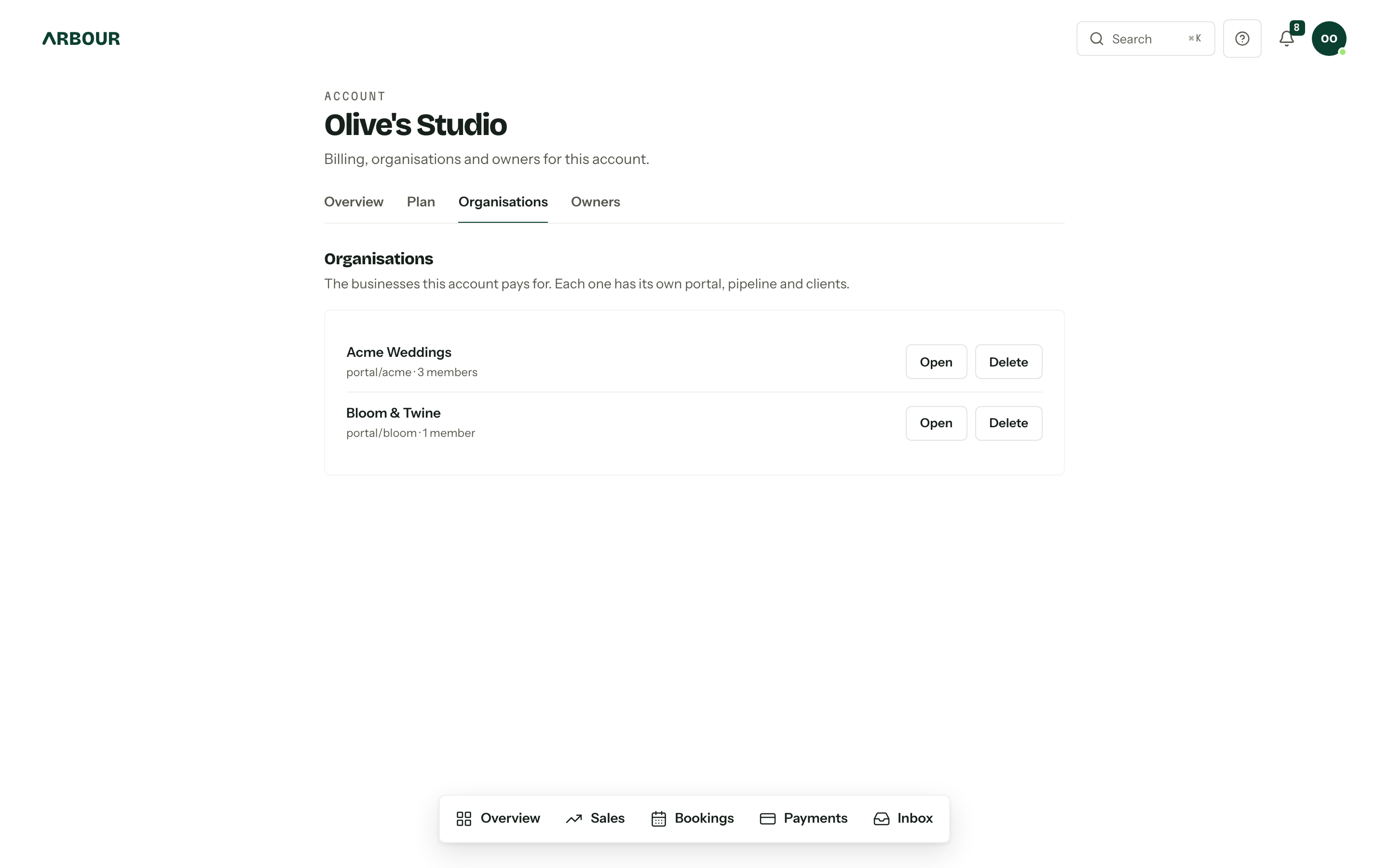
One account, one card, several businesses. A photography studio that also trades as a videography brand does not want the two pipelines in the same board, and it does not want two subscriptions either. The Organisations tab under Account settings is the list of what this account pays for.
What an organisation holds
Everything a client sees or touches, and everything you configure. Its own enquiry forms and client portal address, its own workflows, contacts, packages, quote and invoice numbering, branding, team and roles. Nothing crosses between two organisations in the same account except the plan and the people paying for it.
Each row shows the portal address and the number of members. Open switches you into that organisation and drops you on the overview, and it appears only where you are a member: owning a business you are not part of does not let you read its pipeline.
How many you get
Solo covers one, Studio covers three, House is unlimited. The Plan and usage panel on the account's overview counts what you are using against that.
At the limit, the Organisations tab and the add page both tell you the figure, the tab drops its Add an organisation button and the add page leaves Create organisation disabled. Upgrading in the Stripe billing portal lifts it straight away.
Add another
- 01
Press Add an organisation on the Organisations tab, open Create organisation from the avatar menu, or go to Add an organisation.
- 02
Fill in Business name and Portal URL. The portal address is where your clients' links live, so pick something they would recognise on an invoice.
- 03
Under And what does this one do on a Saturday?, pick the main service first. It sets the words that organisation's console uses, so a florist reads about arrangements rather than shoots.
- 04
Press Create organisation. You land inside the new one as its owner, with an empty pipeline and nothing else carried across.
Settings do not copy over. Payment settings, branding, templates and packages all start from scratch, which is usually the point.
Moving between them
The avatar menu switches organisations, and remembers the last one you were in. Switching organisations covers the switcher.
An organisation stays in the account that created it. There is no way to hand one to a different account, so if the plan is the problem, change the plan rather than the arrangement.
Delete is final
Delete beside an organisation, then Delete organisation to confirm, removes its enquiry forms, packages, enquiries and bookings for good. It is an ownership right, so it works whether or not you are a member. There is no restore.