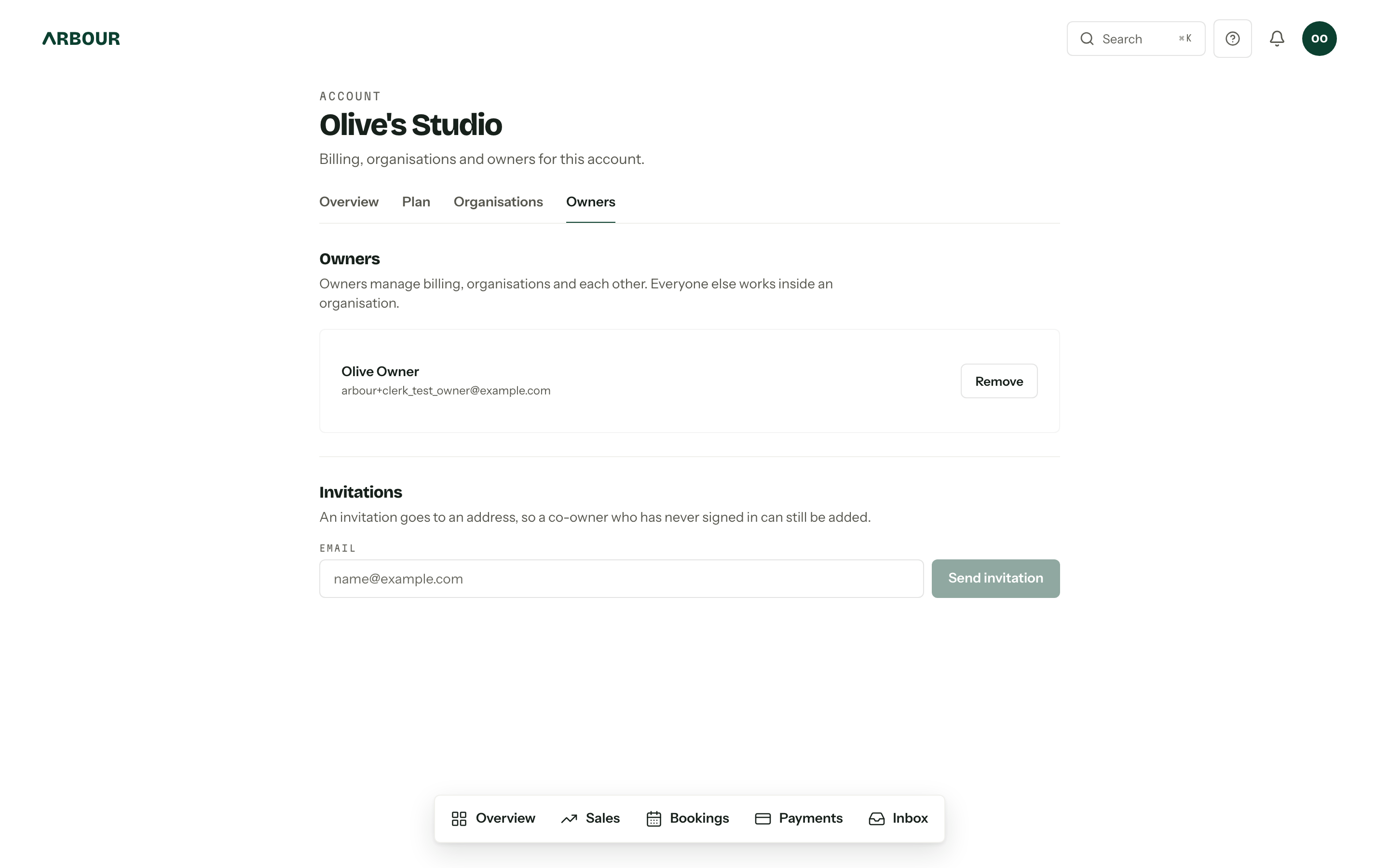
Account ownership is the right to bill. An owner manages the plan, the card, the organisations under the account and the other owners. It is not a job title inside a business: an owner need not be a member of any organisation in the account, and often is not. The Owners tab, under Account settings in the avatar menu, is where the list lives.
What an owner can do
Owners see the whole account: the plan, usage against the plan's limits, every organisation it pays for, and the way into Stripe. They can rename the account (the name on your tax invoices), create another organisation, delete one, and add or remove owners.
What they cannot do is act inside an organisation they hold no membership in. On the Organisations tab, Open appears only beside the ones they are actually a member of. Ownership pays the bill; a role decides what you can touch.
Add an owner
An invitation goes to an address rather than to a person Arbour already knows, so a co-owner who has never signed in can be added.
- 01Open the Owners tab and type the address into Email under Invitations.
- 02
Press Send invitation. It appears in the list below with the date it expires, and Revoke beside it if you sent it to the wrong place.
- 03
They open the link, sign in with that same address and press Accept invitation. The invitation is checked against the address they signed in as, so forwarding it to a colleague achieves nothing.
Remove an owner
Remove beside a name asks first, then does it. They keep any organisation membership they hold and carry on working exactly as before; what they lose is billing and the account tabs.
An account keeps at least one owner
Removing the last one is refused. Invite the replacement, wait for them to accept, then remove yourself. The same rule applies to deleting your own user account.
Ownership and roles are separate
Two different things share the word "owner", and the difference matters when someone leaves.
The Owner role inside an organisation is a role like any other: a bundle of permissions over the pipeline, the packages, the team. It is edited under Team and roles and it says nothing about the card.
Account ownership is the row on this tab. Nothing about a role grants it, and nothing about it grants a role. Someone can hold both, either or neither. When a business partner leaves, remove them from both, and check the invitations list on the way past.