A key lets a script, a spreadsheet or an automation platform talk to Arbour as your organisation. It is the other half of Webhooks: the webhook tells you something happened, the key fetches the record it points at. API keys are the last section on the integrations screen, and roles without Manage API keys never see it.
Open integrations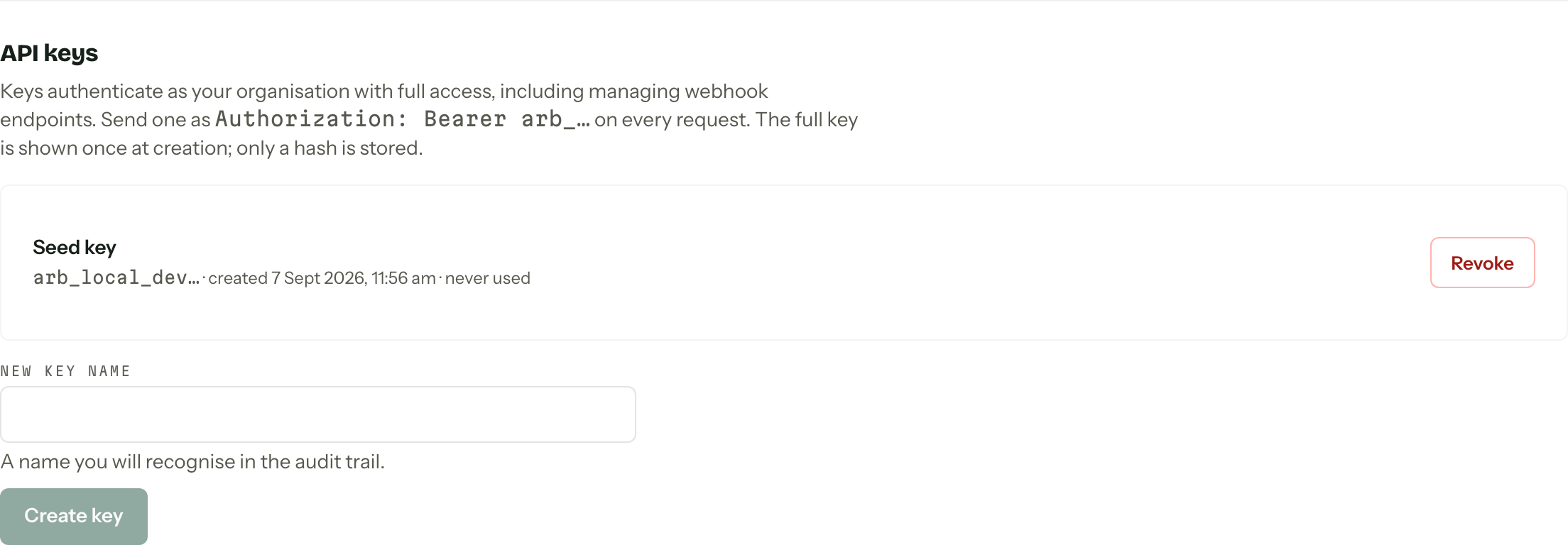
Create one
Type a name into New key name under the list and press Create key. Arbour asks you to verify it is you first, and again for each revoke. The full key appears once, in a dialog, with Copy key beside it. Only a hash of it is stored, so once that dialog closes nobody can retrieve it, Arbour included. Lose it and you make another.
Name keys after the thing holding them, not the person who made them. "Zapier" and "Warehouse sync" survive a staff change; "Olive's key" does not.
Using one
Send it as a bearer token on every request:
Authorization: Bearer arb_...
A key belongs to one organisation and carries that with it, so it never needs the X-Arbour-Org header. That header is how a signed-in person states which of their organisations a request is acting as, which is a question a key cannot have.
Rate limiting is per key, at 600 requests a minute. A browser session gets half that, so a key is the right tool for anything doing volume.
A key has no scopes
There is one level of access and it is full access, including creating webhook endpoints and other keys. Treat a key as you would the password to the whole organisation: environment variables, a secrets manager, never a repository and never a shared document.
Account and billing routes refuse a key outright, because an account spans organisations and a key does not. Plans, owners and cards are a person's business. The organisation export refuses a key too: it needs a signed-in member whose role can export.
Use a key with an automation platform
For a complete enquiry-to-spreadsheet example, follow the n8n guide, Zapier guide or Make guide. Each shows how to save a key in the platform's credentials and fetch the record named by a webhook. Keep the API host fixed to api.usearbour.com so incoming data cannot redirect a request carrying your key.
The endpoint's whsec_... signing secret verifies webhooks coming into your receiver. Your arb_... API key authenticates requests going back to Arbour. They are separate credentials and cannot be used in each other's place.
Revoke and delete
Revoke kills a key immediately. Anything using it starts failing on the next request, and there is no undoing it, so rotate rather than revoke where you can: create the replacement, deploy it, then revoke the old one.
A revoked key stays in the list, greyed with a Revoked badge, until you Delete it. Deleting clears it from the screen only; the audit trail keeps the history either way.
Keeping an eye on them
Each row shows the key's prefix, when it was created and when it was last used, or "never used" if nothing ever picked it up. That last-used stamp is the honest answer to "is anything still on this key?", and it is worth reading before a clean-out.